 2x
2x 99.7%
99.7%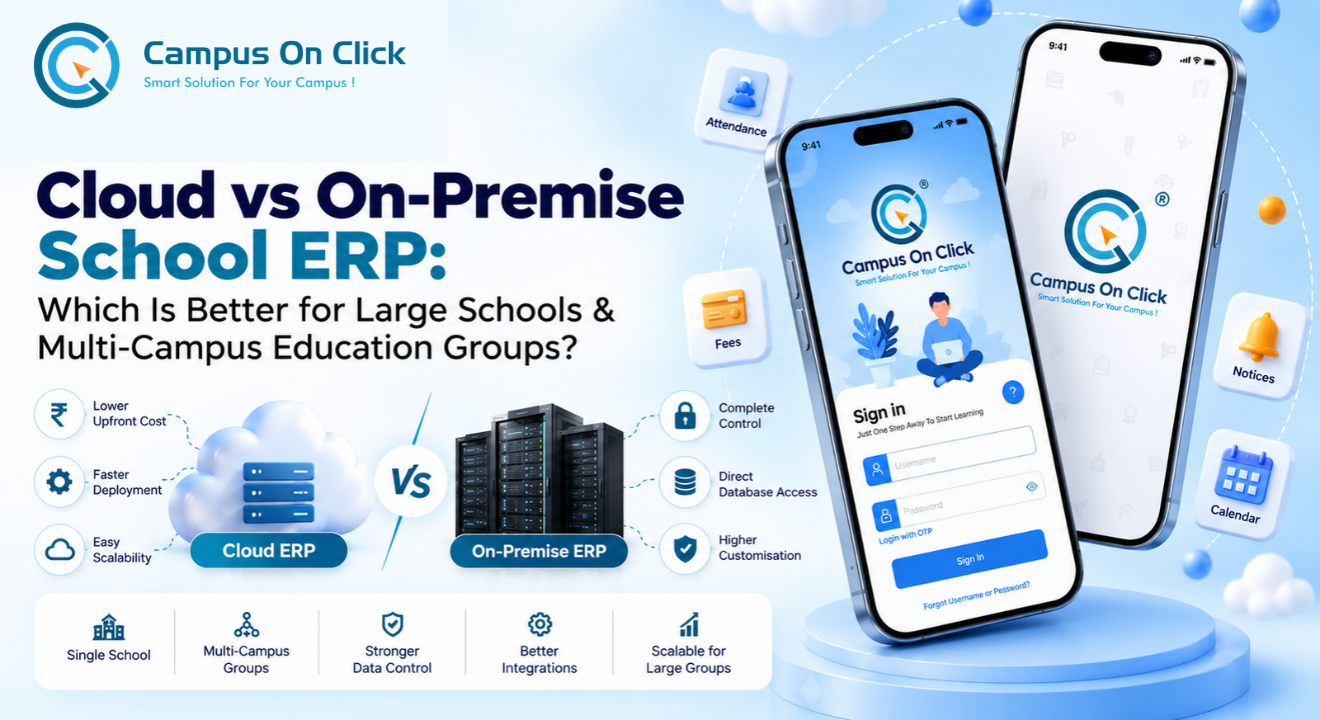
Cloud vs On-Premise School ERP: Which Is Better for Large Schools and Multi-Campus Education Groups in India?
If your trust runs eight schools today and plans for twenty-five within five years, the cloud vs on premise school ERP decision is not an IT preference. It decides who controls your student database, how fee and payroll data reaches your accounts team, what you will spend over the next five years, and how much operational load your IT team carries.
This guide is written for directors, trustees, CIOs, IT heads and ERP selection committees at large schools, school chains and multi-campus education groups in India. It compares the two deployment models without bias, explains where each one genuinely fits, summarises what Indian
data-protection rules mean for each, and ends with a weighted scorecard your committee can use in its own evaluation.
Quick Answer: Is cloud or on-premise school ERP better?
Neither model is better for every institution. Cloud (SaaS) school ERP suits single schools and smaller groups that want fast rollout, predictable subscription costs and minimal infrastructure work. On-premise school ERP suits large schools and multi-campus education groups that need control over the database and infrastructure, deep integrations, customised workflows or strict internal governance, and that have, or can contract, the IT capability to run servers, backups and security. Many large groups choose a hybrid or self-hosted private cloud model in between.
What Is a Cloud School ERP?
A cloud school ERP is school management software hosted on servers run by the vendor or its cloud provider and used over the internet through a browser or mobile app. The school pays a recurring subscription, and the vendor manages hosting, upgrades, backups and infrastructure security.
Cloud ERP comes in two forms that buyers often fail to separate. In a multi-tenant SaaS setup, many schools share one application instance, and frequently one database, separated logically. In a single-tenant or dedicated setup, the vendor runs a separate instance for your institution. The difference affects how much you can customise, whether another customer's peak load can slow you down, and how complete your data export will be. Ask which one you are being quoted.
What Is an On-Premise School ERP?
An on-premise school ERP is installed on infrastructure the institution controls: its own server room, a group data centre, a colocation facility, or a cloud account owned by the trust. The institution holds administrative access to the servers and database, usually pays for a licence, implementation and annual maintenance (AMC), and is responsible for hosting, backups and infrastructure security.
"On-premise" is often misunderstood in two ways. First, it does not mean every campus runs its own server. For a multi-campus group, the usual design is one central deployment, at head office or in a data centre, that every campus reaches over the internet, MPLS or VPN, with each campus set up as a unit inside the same system. Second, the trust can run a self-hosted private cloud, where the ERP is installed in a cloud account the trust owns. That gives on-premise-style control without buying hardware. The real dividing line is not location. It is control: who holds admin rights to the servers and database, and who decides when changes happen.
The Five Deployment Models for School ERP
Most comparison articles present a two-way choice. In practice, Indian education groups choose between five models, and the middle options are often the best fit for groups of 15 to 60 campuses.
| Model | Where it runs | Who controls servers & database | Typical commercial model | Usually suits |
|---|---|---|---|---|
| 1. Multi-tenant SaaS | Vendor's cloud, shared instance | Vendor | Subscription, often per student per year | Single schools and small groups with little IT capacity |
| 2. Vendor-hosted dedicated | Vendor's cloud, separate instance | Vendor; institution may get exports or read access by contract | Subscription, or licence plus hosting fee | Mid-size groups that want isolation without running infrastructure |
| 3. Self-hosted private cloud | A cloud account owned by the trust | Institution; vendor supports the application | Licence + implementation + AMC; trust pays the cloud bill | Groups that want control without owning hardware |
| 4. On-premise (own DC or colocation) | Servers owned by the institution | Institution | Licence + hardware + implementation + AMC | Large groups with IT teams and heavy integration needs |
| 5. Hybrid | Split across the above | Divided by function | Mixed | Groups with specific data, integration or connectivity constraints |
Vendors use these labels inconsistently. Ask every vendor to state in writing who holds administrative access to the servers and the database under the model being proposed.
Cloud vs On-Premise School ERP: Side-by-Side Comparison The core trade-off is
convenience versus control. Cloud ERP shifts infrastructure work and capital spend to the vendor. On-premise ERP keeps control of infrastructure, data access, upgrade timing and integrations with the institution, along with the responsibility to run all of it well.
| Factor | Cloud (SaaS) school ERP | On-premise school ERP |
|---|---|---|
| Infrastructure ownership | Vendor or its cloud provider | Institution |
| Direct database access | Usually none; data through reports, exports or APIs | Full access, subject to licence terms |
| Upfront cost | Low; onboarding and implementation fees | Higher: licence, servers, storage, networking, setup |
| Recurring cost | Subscription that usually grows with students, campuses or modules | AMC, power, hardware refresh, IT staff or managed services |
| Time to go live | Usually faster; no infrastructure procurement | Longer; procurement and environment setup add time |
| Upgrades | Vendor decides timing; in multi-tenant SaaS everyone moves together | Institution schedules upgrades after testing |
| Customisation | Configuration within product limits | Deeper customisation possible, but it adds upgrade effort |
| Integrations | Through vendor APIs and approved connectors | APIs plus network-level and database-level integration with local systems |
| Performance at peak | Depends on vendor capacity planning; shared in multi-tenant | Depends on your own sizing; capacity is dedicated to you |
| Security responsibility | Shared: vendor runs infrastructure, you run users and roles | Mostly the institution's, with the vendor responsible for application fixes |
| Connectivity | Every user needs internet access | Campuses connect to the central server over internet, MPLS or VPN; a server room on one campus can keep that campus working during an internet outage |
| Exit and portability | Depends on export terms in the contract | Data is already in your environment; you still need schema documentation |
| IT skills required | Low to moderate | Moderate to high, or a managed-services partner |
Why the Decision Changes for Large School Groups
A single school mostly needs an ERP that works. An education group needs an ERP that works and a governance system: consolidated reporting across campuses, campus autonomy within central rules, strict role separation, and clean data flow into group-level finance, HR and audit. These needs put more weight on control and architecture, which is exactly where the deployment choice has the most impact.
The segment is also large and growing. According to UDISE+ 2024-25 (Ministry of Education), India had 14,71,473 schools, of which 3,39,583 were private unaided recognised schools, with total enrolment of about 24.69 crore students. Private schools are typically run by trusts, societies or not-for-profit companies, and groups with several campuses often span multiple boards and states.
Consolidated reporting versus campus autonomy
Head office wants group-wide views of fee collection, outstanding dues, admission enquiries, conversion rates, staff attendance and payroll cost. Campuses need their own fee structures, concessions, timetables and, in many groups, different boards such as CBSE, ICSE and state boards. The ERP must model the hierarchy, for example Trust → Region → Campus → Class → Section. Both cloud and on-premise products can do this. The difference is that on-premise and self-hosted deployments let the group connect its own BI or data-warehouse tools directly to a read copy of the database, instead of waiting for the vendor to build new reports.
Role design and audit trails
A 40-campus group can have several hundred staff with ERP access: principals, accountants, admission counsellors, transport in-charges, hostel wardens and HR teams. Who can approve a fee concession? Who can edit marks after results are published? Who can export a student list?
Role-based access control and audit logs are needed in both models. With on-premise, your security team can feed ERP logs into its own monitoring and retention systems. With cloud, confirm in the contract which logs you can access and for how long they are kept.
Peak loads are predictable, and they coincide
ERP load in schools spikes on fee due dates, results day, the admission window, report-card generation and payroll day. In a group, these peaks often hit every campus at the same time. With on-premise, you size infrastructure for the peak and pay for that capacity all year. With cloud, the vendor sizes it, so ask how capacity is reserved for your institution and whether the SLA covers performance during those windows, not just uptime.
Data accumulates for years
Schools keep admission records, transfer certificates, mark sheets and fee histories for many years, and alumni ask for verification long after they leave. A group that adds campuses every year needs an archiving strategy and clear retention rules, whichever model it chooses.
10, 50 or 100+ Campuses: How Scale Shifts the Answer
Campus count alone does not decide deployment, but it changes the pressure on concurrency, integrations, governance and IT capacity. The table below gives indicative patterns, not fixed rules.
| Factor | About 10 campuses | About 50 campuses | 100+ campuses |
|---|---|---|---|
| Typical IT set-up | Small central team, often 1 to 3 people | Dedicated IT team, some regional support | Formal IT function led by a CIO or CTO, often multi-state |
| Peak usage | Manageable peaks | Synchronised peaks across campuses | High concurrency; load testing essential |
| Integration load | Accounting, payment gateway, biometric, SMS | Plus HRMS, BI, LMS, transport GPS | Plus data warehouse, SSO, group finance systems, custom apps |
| Cloud fit | Often strong | Strong if the vendor proves scale, isolation and full data export | Possible with a dedicated instance and strong contract terms |
| On-premise fit | Viable if IT capacity exists or a managed partner is used | Often strong, especially self-hosted private cloud or own data centre | Often the strongest for control; needs high-availability and DR design |
| Main risk | Over-engineering | Inconsistent role design and data model across campuses | Weak governance, change control and untested DR |
When Cloud School ERP Is the Better Choice
Cloud is a legitimate choice for many groups. A well-run SaaS platform with strong security practices can be safer than a poorly maintained server in a school office. Cloud usually fits when:
• You have no IT team and do not plan to build one.
• You must go live quickly, for example before the new academic session starts.
• Capital budget is limited and a subscription suits the trust's finances better.
• Your processes are close to standard and you are willing to adapt them to the product.
• Campuses are spread out, have reliable internet, and need few on-campus system integrations.
• The vendor contract gives clear data export, an SLA, breach-notification commitments and
hosting location details.
When On-Premise School ERP Is the Better Choice
On-premise is not automatically more secure. What it gives you is control, and security depends on how well that control is used. It usually fits when:
• Your board or trustees require student and financial data to sit on infrastructure the group
controls.
• You need integrations a cloud vendor will not support: legacy systems, group accounting, an existing HRMS, on-campus devices or your own BI.
• Your workflows are unusual, such as multi-board academics, residential and day-scholar mixes,or transport routes shared across campuses.
• You want to control upgrade timing, for example to avoid any change during exams or the feecycle.
• Your five-year cost model, built on real student counts, favours a licence plus infrastructure over per-student subscriptions. Model this; do not assume it.
• You have IT capability in-house or through a managed-services partner.
• Your internal audit or security team wants direct access to logs and the database, its own
retention and its own penetration testing.
What Is a Hybrid School ERP Deployment?
A hybrid school ERP splits the deployment. The core ERP and database run on infrastructure the group controls, while internet-facing parts, such as the parent app back-end, online admission forms or payment gateway callbacks, run in a cloud or protected network layer. Common patterns include a central on-premise core with a cloud-hosted API layer for mobile apps, primary servers on-premise with a disaster-recovery copy in the cloud, and self-hosted private cloud as a middle path. Hybrid adds moving parts, so it needs a documented integration architecture and clear ownership of each component.
Not sure which model fits your group?
Discuss Your On-Premise ERP Requirements. Share your campus count, student strength, current systems and IT set-up with the Campus On Click team, and talk through whether cloud, on-premise or a hybrid architecture suits your group before you shortlist vendors.
Security and Data Protection: What Actually Changes Between Cloud and On-Premise?
Deployment changes who performs each security task. It does not change who is accountable.
Under India's Digital Personal Data Protection (DPDP) Act, 2023, the school or trust that decides why and how student data is processed is the Data Fiduciary. It remains responsible even when an ERP vendor processes data on its behalf as a Data Processor.
What Indian rules ask of schools: a summary
• DPDP Rules, 2025 were notified by MeitY in November 2025 with a phased rollout. Most substantive obligations, including security safeguards, breach intimation and verifiable consent for children's data, apply 18 months after notification, that is, from May 2027.
• Reasonable security safeguards (Rule 6) include measures such as encryption or masking,
access control, monitoring and logging, retention of logs for at least one year, and contracts that require Data Processors to maintain safeguards.
• Breach intimation: affected individuals and the Data Protection Board of India must be
informed, with a detailed report to the Board within 72 hours.
• Children's data: processing personal data of anyone under 18 generally needs verifiable
parental consent. The Fourth Schedule gives educational institutions conditional exemptions for specified purposes, such as educational activities and child safety. Confirm the scope for your institution with legal counsel.
• Penalties: failure to take reasonable security safeguards can attract a penalty of up to ₹250 crore under the Act's schedule.
• CERT-In Directions (28 April 2022) require covered entities to report specified cyber
incidents within 6 hours, keep ICT system logs for a rolling 180 days within India, and
synchronise system clocks with NIC or NPL time servers. Check applicability to your trust or company with counsel.
What this means in practice: with cloud, your contract must give you what you need to meet these duties, including log access, a breach-notification timeline shorter than your own, and hosting-location details. With on-premise, your own team or partner must actually do the work.
Security responsibility matrix: cloud vs on-premise
Security task Multi-tenant cloud ERP On-premise ERP
| Security task | Multi-tenant cloud ERP | On-premise ERP |
|---|---|---|
| Physical security of servers | Vendor / cloud provider | Institution or colocation provider |
| Operating system and database patching | Vendor | Institution or managed partner |
| Application security fixes | Vendor builds and deploys | Vendor supplies; institution tests and applies |
| Firewall and network security | Vendor for hosting; institution for campus networks | Institution |
| Backups and restore testing | Vendor; verify through contract and reports | Institution |
| User accounts, roles and approvals | Institution | Institution |
| Log retention and monitoring | Vendor holds; institution needs contractual access | Institution |
| Breach detection and reporting | Vendor must notify you; you report as Data Fiduciary | Institution |
| Data export and deletion on exit | Contractual | Institution |
Note the row that is identical in both columns. Shared logins, weak passwords and excessive permissions are common weak points in any deployment, so role design deserves as much attention as hosting.
For a deeper treatment of encryption, access control, monitoring and DPDP readiness, see our guide on school ERP data security for large education institutions.
Cost: CapEx vs OpEx and the 5-Year View
Cloud ERP has a lower upfront cost and a recurring subscription. On-premise ERP has a higher upfront cost and lower recurring software fees, but adds infrastructure and staffing costs. The only reliable comparison is a five-year total cost of ownership (TCO) built on your own student count, campus count, growth plan and IT costs.
| Cost component | Cloud ERP | On-premise ERP |
|---|---|---|
| Software | Annual subscription per student, campus or module | Licence (perpetual or term) plus AMC |
| Implementation | Onboarding, configuration, data migration, training | The same, plus installation and environment set-up |
| Infrastructure | Included in subscription | Servers, storage, network, UPS, DR site, or the private cloud bill |
| People | ERP coordinator and administrators | Plus system and database administration, in-house or outsourced |
| Upgrades | Included | Usually covered by AMC; testing effort is yours |
| Integrations | API or connector fees, if any | Development and ongoing maintenance |
| Growth | Cost rises with each student and campus | Hardware steps up at capacity thresholds; check licence terms |
| Exit | Export fees, parallel-run period | Data already held; hardware has residual value |
Costs that are often missed. In cloud: annual price-escalation clauses, per-message SMS and WhatsApp charges, paid add-on modules, API access fees and storage limits. In on-premise: hardware refresh cycles, power and cooling, backup storage, security tools and the DR environment. Ask every shortlisted vendor for a five-year quote that includes escalation. Our detailed guide to on-premise school ERP cost in India breaks down each line item.
Performance, Availability and Disaster Recovery
Availability is the result of design, not of the deployment label. A cloud vendor offers an SLA backed by infrastructure you could not easily build yourself. On-premise lets you design your own high availability and disaster recovery (DR), but it only protects you if it is built properly and tested.
Two terms should appear in every ERP discussion. RPO (Recovery Point Objective) is how much data you can afford to lose, for example the last 15 minutes of fee receipts. RTO (Recovery Time Objective) is how long the ERP can be down before operations suffer, for example 4 hours on a normal day but far less on results day. Agree these numbers with management first, then ask how each model meets them.
• Cloud: ask for the SLA, how uptime is measured, service credits, backup frequency, where backups are stored, and whether you can request a restore of your data alone.
• On-premise: plan redundant power and internet at the data centre, database replication or
frequent backups, an off-site or cloud DR copy, and a documented restore procedure. Run a restore drill at least once a year in a quiet period, never during exams or fee week.
• Connectivity: a centrally hosted on-premise ERP still needs reliable links from every campus, and the parent app needs an internet-facing component. Plan bandwidth and failover links accordingly.
Integrations, Data Access and Reporting
For education groups, integration is often the deciding factor. A group ERP has to exchange data with accounting software, payment gateways, biometric attendance devices, SMS and WhatsApp services, transport GPS, HR systems and group dashboards. Check two things: which APIs exist, and who controls the data layer.
• Cloud: integrations run through vendor APIs. Ask whether the APIs are documented, whether there are rate limits or fees, and whether webhooks are available for real-time events such as fee payments.
• On-premise: you can add database-level reporting through a read replica and connect devices on the local network, but custom integrations must be maintained through every upgrade.
• Single sign-on: if staff already use a central identity system, check whether the ERP supports SSO in your chosen model.
• Sequence: map every integration before data migration and before signing. Integrations
discovered after go-live are a frequent cause of slipped ERP timelines.
Data Ownership, Lock-In and Exit Planning
The contract decides who owns the data, but the deployment decides how easily you can use that ownership. In cloud ERP, your exit depends on the export format, timeline and cost written into the contract. In on-premise ERP, the data is already in your environment, but without documented database schemas it can still be hard to use in another system.
Whichever model you choose, the contract should cover:
• A complete export in a documented, machine-readable format, including attachments such as student photos and documents.
• Audit logs and historical records, not only current-year data.
• Export timelines and any fees.
• Written confirmation of data deletion after exit.
• Transition support during a parallel run with the new system.
A Weighted Decision Scorecard for Your ERP Committee
Use this scorecard in a committee meeting with IT, finance and academic leadership. Rate how strongly your institution agrees with each statement from 1 (strongly disagree) to 5 (strongly agree). For statements marked "reverse", use 6 minus your rating. Multiply by the weight and add up the scores.
| # | Statement | Weight |
|---|---|---|
| 1 | Our board or trustees require student and financial data on infrastructure the group controls. | 3 |
| 2 | We need integrations our shortlisted cloud vendors do not support natively. | 3 |
| 3 | We have, or will fund, in-house IT or a managed partner to run servers, backups and security. | 3 |
| 4 | Our workflows differ significantly from a standard product (multi-board, residential, multi-state). | 2 |
| 5 | We need control over when upgrades and changes happen. | 2 |
| 6 | Our five-year TCO model favours licence plus infrastructure over subscription. | 2 |
| 7 | Our internal audit or security team needs direct access to logs and the database. | 2 |
| 8 | We must go live within the next few months. (reverse) | 2 |
| 9 | We strongly prefer predictable operating expense over capital expenditure. (reverse) | 2 |
How to read the total (range 21 to 105): 21 to 50 leans towards cloud. 51 to 75 suggests a middle path: a vendor-hosted dedicated instance, self-hosted private cloud or hybrid. 76 to 105 leans towards on-premise. One gate overrides the total. If you rated statement 3 at 2 or lower, on-premise is risky whatever the total says, because nobody will run the infrastructure well. Consider a managed partner or a vendor-hosted dedicated instance instead.
Worked example (hypothetical)
Consider a hypothetical trust with 18 schools across two states, a mix of CBSE and state-board campuses, a four-person IT team, existing accounting software and a group BI dashboard. Its committee rates the statements 4, 4, 4, 3, 4, 3, 3, then 2 for statement 8 (reverse scored as 4) and 3 for statement 9 (reverse scored as 3). The weighted total is 12 + 12 + 12 + 6 + 8 + 6 + 6 + 8 + 6 = 76. That sits at the lower edge of the on-premise band, so this trust should compare an own-data-centre deployment with a self-hosted private cloud, and let the five-year TCO decide between them.
10 Deployment Questions to Ask Every School ERP Vendor
- Which deployment models do you support, and is the same product version used in all of them?
- For cloud: is the instance multi-tenant or single-tenant, and in which country and region are
servers and backups located? - Who holds administrative access to the servers and database in each model?
- Which APIs are available and documented, and are there fees or rate limits?
- How are upgrades delivered to on-premise customers, and how are our customisations carried
forward? - What server specifications do you recommend for our student, staff and campus counts at peak
load, and can you share load-test results? - Which logs does the application produce, and can we retain them for at least one year and keep
the required logs within India? - What is your breach-notification timeline to us, in writing?
- What is the exit process: export format, timeline, cost, and are documents and photos included?
- What does AMC or support cover, what are the SLA response times, and who supports
infrastructure issues?
For the complete list of commercial, functional and technical questions, see our enterprise school ERP buying guide.
Common Mistakes Education Groups Make
• Choosing on-premise for control without budgeting for the people to run it. Unpatched
servers and untested backups cancel out every benefit of control.
• Choosing cloud on year-one price alone. Per-student pricing with annual escalation looks
very different over five years of campus growth.
• Assuming one model is secure by default. Neither is. Security comes from configuration,
patching, access management, monitoring and tested backups.
• Ignoring exit terms until the day you want to leave.
• Over-customising so heavily that every upgrade becomes a project.
• Skipping integration mapping before signing the contract.
• Never testing a restore until a real incident forces one.
• Deciding deployment before designing roles and the campus hierarchy, which are the
two things that shape data model, permissions and reporting.
How Campus On Click Supports Large Schools and Education Groups
Campus On Click is an Indian school ERP platform with more than 100 modules covering admissions, student information, fees, academics, examinations, HR and payroll, transport, hostel, inventory and communication. For education groups, it includes Multi Institute Management and Campus Management modules, and its listed integrations include biometric devices, payment gateways, accounting software, SMS, WhatsApp, email and vehicle tracking.
For institutions that want the ERP on infrastructure they control, Campus On Click offers on-premise deployment, and its team works with institutions to configure and customise modules around their processes. The sensible starting point is not a demo of screens but a discussion of your campus structure, integrations, IT capacity and governance requirements, so that the deployment model is chosen on evidence.
Plan Your Multi-Campus ERP Architecture Talk to the Campus On Click enterprise team about your campus hierarchy, integrations and infrastructure. Leave with a clearer view of whether on-premise, private cloud or hybrid deployment fits your group, and what it would take to implement.
Conclusion: Making the Cloud vs On-Premise Call
The cloud vs on premise school ERP decision comes down to fit. Cloud suits institutions that value speed, low upfront cost and minimal infrastructure work, and that can live within a vendor's standard product. On-premise, including self-hosted private cloud, suits large schools and multi-campus groups that need control over data and infrastructure, deep integrations and their own governance, and that are prepared to resource it.
Four criteria matter most: your governance requirement for data control, your real IT capability, your integration landscape, and a five-year TCO built on your own numbers. If you get those four right, the deployment model usually becomes obvious.
Your next step: run the scorecard above with your committee, build a five-year TCO, shortlist only vendors that support your preferred model, and put the ten deployment questions to each of them in writing.
Request an Enterprise ERP Consultation Share your campus count, student strength and current systems with Campus On Click. In the consultation, the team can walk through a recommended deployment approach (cloud, on-premise or hybrid), the integrations your group will need, the infrastructure considerations for your scale, and a phased rollout path across campuses.
Frequently Asked Questions about Cloud vs On-Premise School ERP
What is the difference between cloud and on-premise school ERP?
A cloud school ERP runs on the vendor's servers and is used over the internet for a recurring subscription; the vendor manages hosting, upgrades and infrastructure security. An on-premise school ERP runs on infrastructure the institution controls, such as its own data centre or a cloud account owned by the trust. The institution holds admin access to servers and the database and is responsible for hosting, backups and infrastructure security, usually paying a licence, implementation and AMC instead of a subscription.
Is on-premise school ERP more secure than cloud ERP?
Not automatically. On-premise gives the institution control over servers, network, logs and the database, which some groups need for governance. Whether it is more secure depends on patching, access control, monitoring, encryption and tested backups. A well-run cloud platform can be more secure than a neglected school server. Under the DPDP Act, the school remains accountable as the Data Fiduciary in either model.
Which is better for a school chain: cloud or on-premise ERP?
It depends on the chain's governance needs, integrations, IT capability and five-year cost. Smaller chains with limited IT staff often do well on cloud. Larger chains with many integrations, customised workflows and board-level requirements for data control often prefer on-premise or a self-hosted private cloud. Use a weighted scorecard and a five-year TCO model rather than a general rule.
Can a school ERP be installed on our own servers?
Yes, if the vendor offers on-premise deployment. The ERP can be installed in your server room, a group data centre, a colocation facility or a cloud account your trust owns. For multi-campus groups, one central installation usually serves all campuses. Ask the vendor for recommended server specifications based on your peak concurrent users, and confirm how upgrades and support work for on-premise customers.
Who owns the student data in a cloud school ERP?
The school or trust should own its data in both models, and the contract should say so explicitly. In cloud ERP, your practical control depends on export rights: format, completeness, timelines, cost and deletion after exit. In on-premise ERP, the database already sits in your environment, which makes access and exit simpler, though you still need documented schemas.
Is cloud school ERP cheaper than on-premise?
Cloud is usually cheaper upfront because there is no hardware or large licence fee. Over five years the picture can change, particularly for large groups, because subscriptions often grow with every student and campus and may include annual escalation. On-premise adds hardware, AMC and IT staffing. The only reliable answer is a five-year TCO built on your own enrolment, growth and IT costs.
Does the DPDP Act require school data to be stored in India?
The DPDP Act, 2023 does not impose a blanket data-localisation requirement on all organisations; cross-border transfers are permitted except where the government restricts them, and additional conditions can apply to certain categories of entities. Separately, the CERT-In Directions of 2022 require covered entities to keep ICT system logs within India. Many groups simply ask for India-based hosting to keep things straightforward. Confirm your institution's position with legal counsel.
Can we move from a cloud school ERP to an on-premise ERP later?
Yes, but plan it as a full migration project. Secure a complete export from your current vendor, including historical records, fee ledgers, attachments and audit logs; map every integration; clean and validate the data; and run both systems in parallel for a period. Schedule cut-over outside admissions, examinations and fee deadlines. Check your current contract's exit terms before you start.
Can an on-premise ERP handle 100+ campuses?
It can, if the architecture is designed for it. That typically means a central deployment with scalable application servers, a properly sized database, high availability, disaster recovery and adequate bandwidth from every campus. Ask the vendor for load-test evidence at your expected concurrency and a reference architecture, and plan governance for roles, change control and reporting across campuses.